Stop Losing Customers to Slow Responses

Customers message your business on WhatsApp and Instagram and expect fast replies. Without automation, enquiries pile up, orders get missed, and customers move on.

Without Automation

  • Customers wait hours for a reply
  • Staff overwhelmed by repetitive questions
  • Orders missed outside business hours
  • No visibility into customer conversations

With fynd AI

  • Instant replies on WhatsApp & Instagram, 24/7
  • AI handles FAQs, your team handles exceptions
  • Orders and bookings taken automatically
  • Full conversation analytics across both platforms

Set Up in Minutes, Not Weeks

Your AI assistant is trained on your business data automatically. No technical setup required.

What you'll need

Your business details (name, description, address, contact), a logo/cover image (optional), your product/service list

Time

~10-15 minutes

1

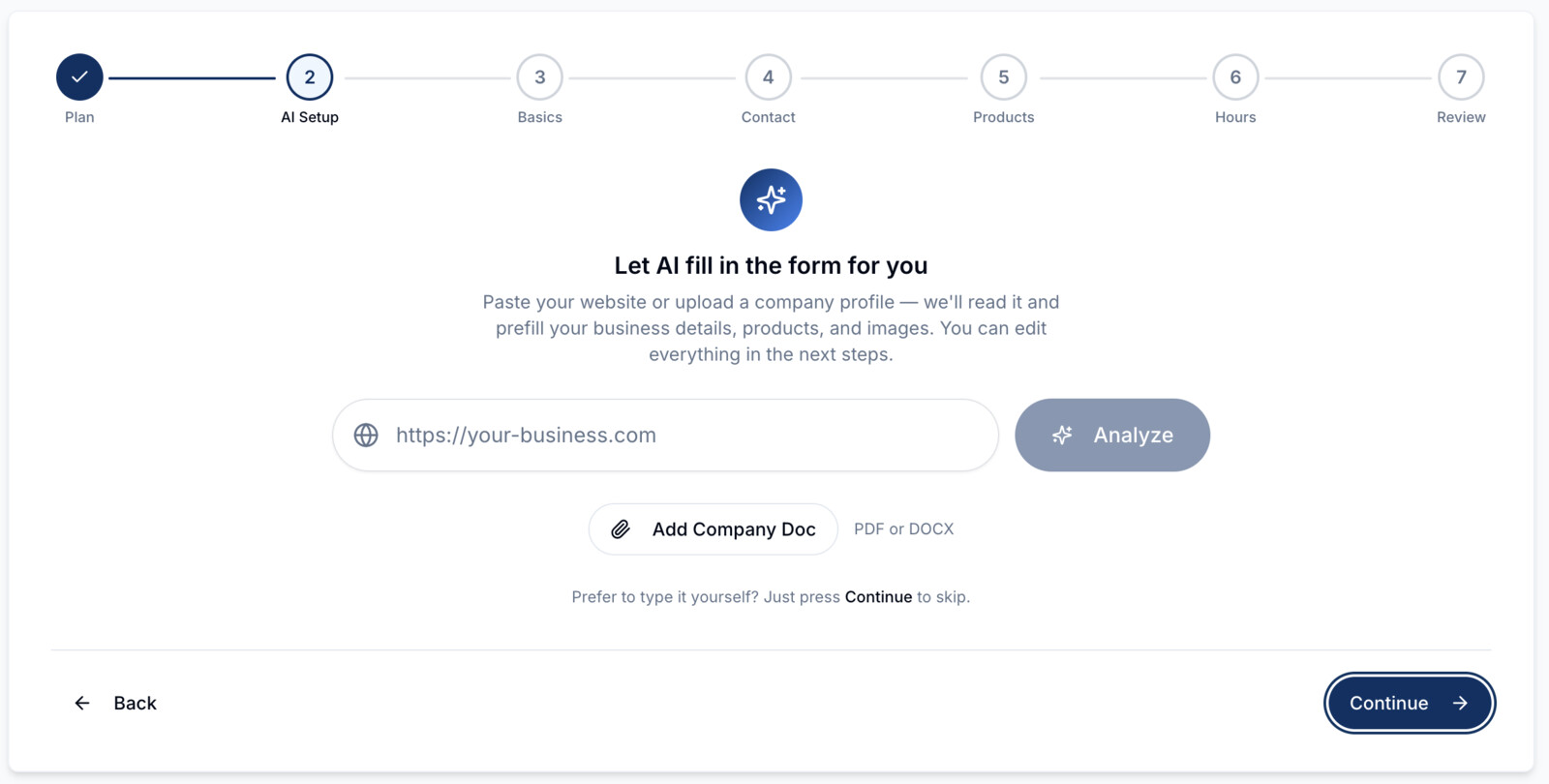
Register Your Business

Go to the fynd registration page, create an account if you don't have one, and fill in your business details — name, description, address, products, and contact information. Register here →

Screenshot or tutorial clip
2

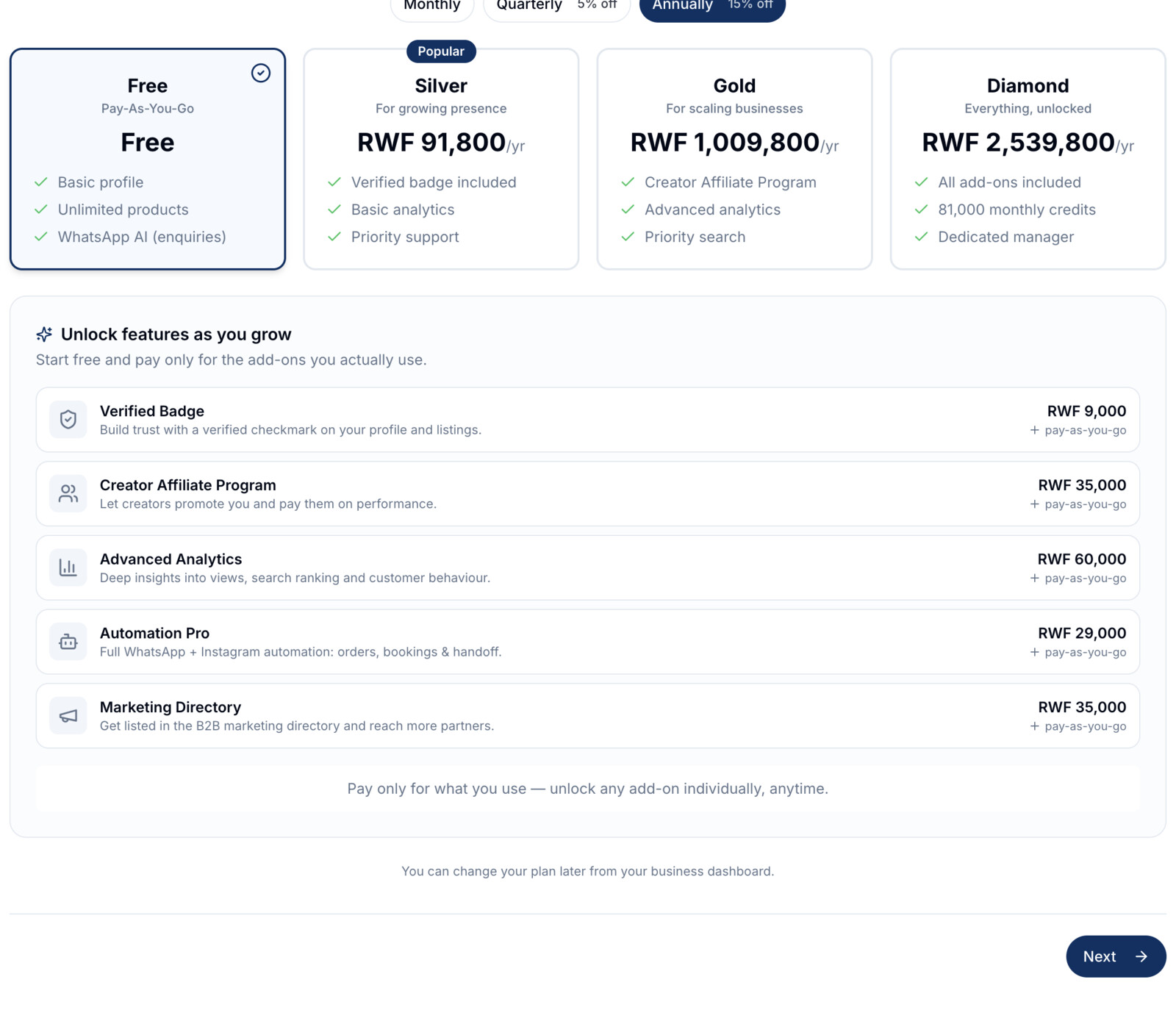
Choose Your Plan

Select a plan that fits your business. Start free or choose Silver, Gold, or Diamond for premium features like AI-powered orders, appointments, and priority search placement.

Screenshot or tutorial clip
3

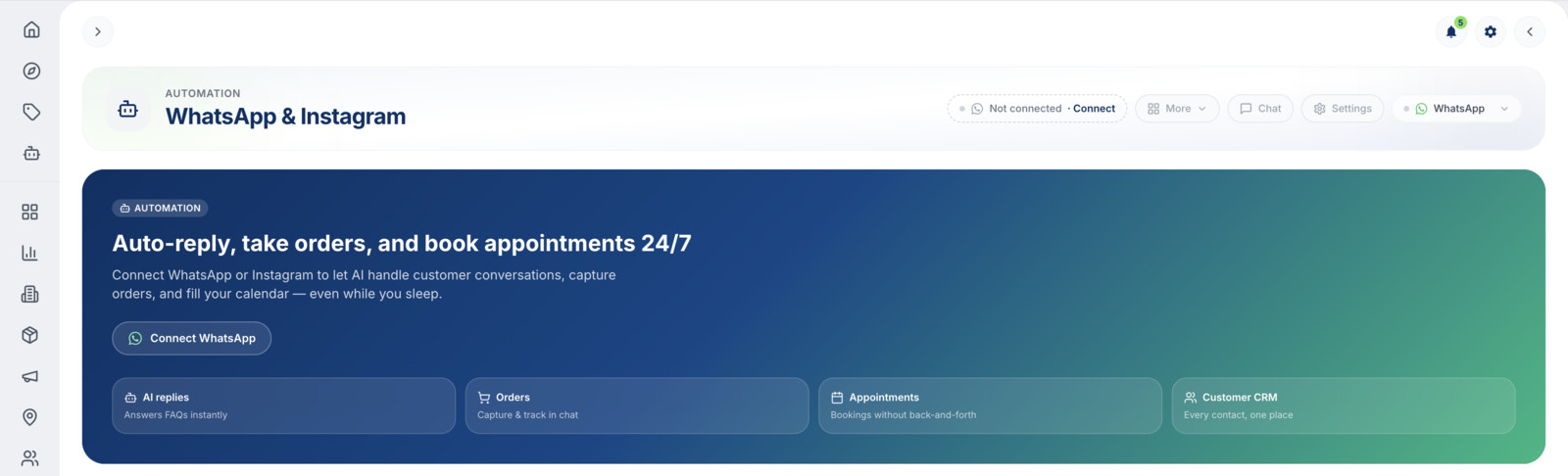
Connect Your WhatsApp Number

Once approved, go to your business dashboard and open the Automation tab. Link your WhatsApp Business number — the AI is automatically trained on your business data, no configuration needed.

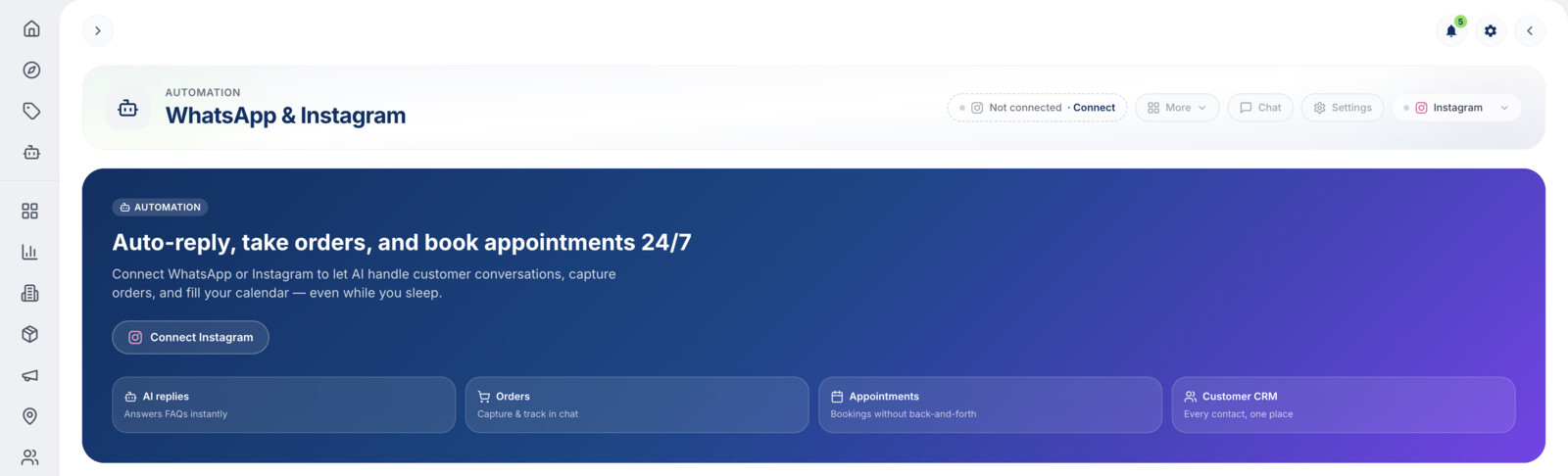
Connect Your Instagram Account

Once approved, go to your business dashboard and open the Automation tab. Connect your Instagram Business or Creator account through Meta — your DMs are linked to the AI assistant automatically.

WhatsApp integration screenshot
Instagram integration screenshot
4

Go Live & Monitor

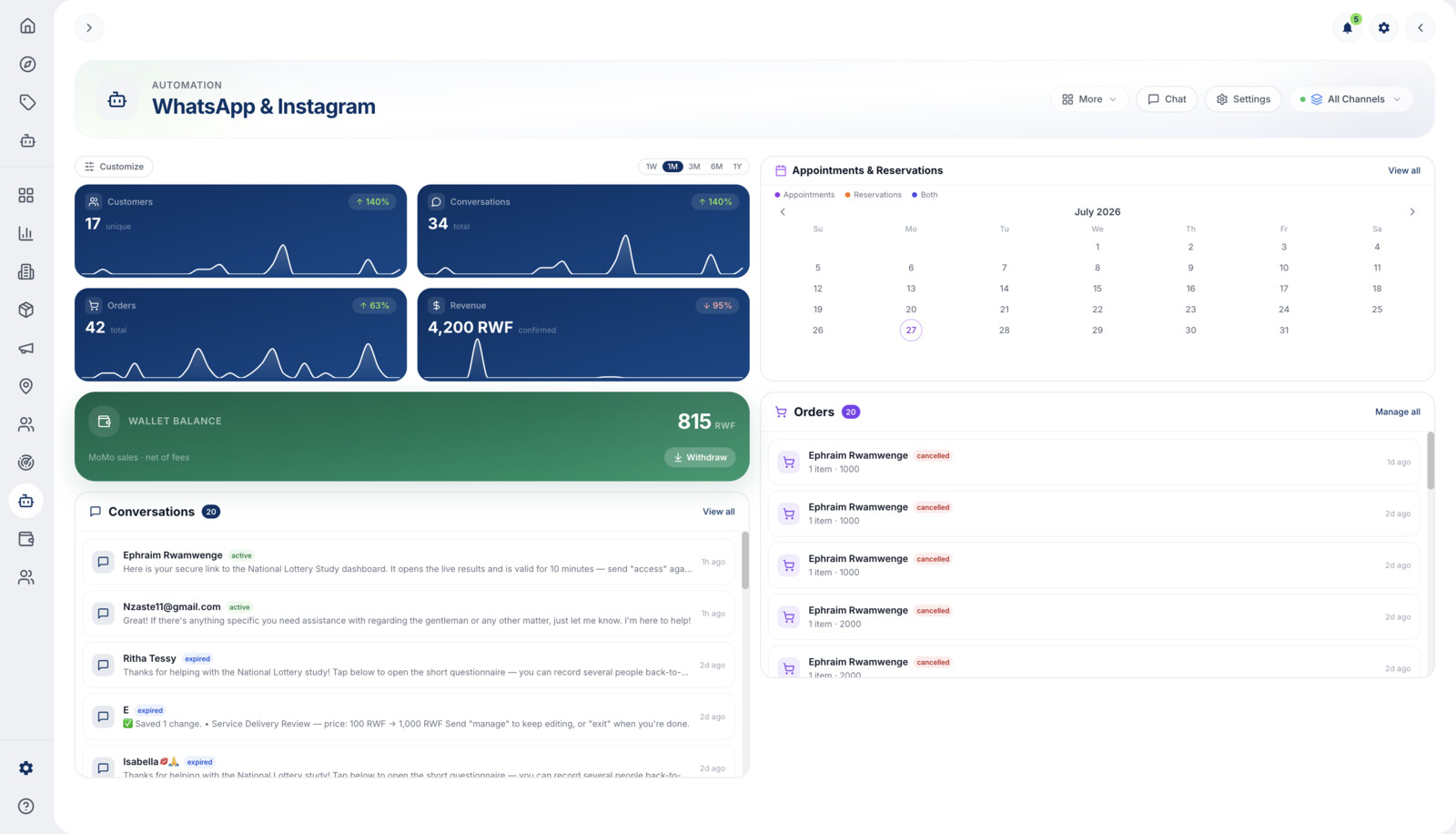
Share your WhatsApp number with customers. The AI responds instantly in English, French, and Kinyarwanda. Monitor conversations and step in anytime from your dashboard.

Go Live & Monitor

Customers DM your Instagram and the AI responds instantly. Handle enquiries, bookings, and orders — all from your fynd dashboard. Set up comment auto-replies and story mention responses.

WhatsApp dashboard screenshot
Instagram dashboard screenshot
5

Need Help?

Our team is ready to walk you through the setup. Reach out anytime on WhatsApp. Chat with us on WhatsApp →

Screenshot or tutorial clip
1

Download the App & Sign Up

Download the fynd app from the Play Store or App Store and create your account.

Screenshot or tutorial clip
2

Upgrade to a Business Account

In the app, go to Settings and upgrade your account to a Business account. Then register your business with your details — name, description, products, and contact information.

Screenshot or tutorial clip
3

Choose Your Plan

Select a plan that fits your business. Start free or upgrade to Silver, Gold, or Diamond for premium features like AI-powered orders and appointments.

Screenshot or tutorial clip
4

Connect Your WhatsApp Number

Once approved, open your business dashboard in the app and go to the Automation tab. Link your WhatsApp Business number — the AI is automatically trained on your business data.

Connect Your Instagram Account

Once approved, open your business dashboard in the app and go to the Automation tab. Connect your Instagram Business or Creator account through Meta — your DMs are linked automatically.

WhatsApp integration screenshot
Instagram integration screenshot
5

Go Live & Monitor

Share your WhatsApp number with customers. The AI responds instantly in English, French, and Kinyarwanda. Monitor conversations and step in anytime from your dashboard.

Go Live & Monitor

Customers DM your Instagram and the AI responds instantly. Handle enquiries, bookings, and orders — all from the app. Set up comment auto-replies and story mention responses.

WhatsApp dashboard screenshot
Instagram dashboard screenshot
6

Need Help?

Our team is ready to walk you through the setup. Reach out anytime on WhatsApp. Chat with us on WhatsApp →

Screenshot or tutorial clip

How Businesses Use WhatsApp & Instagram AI

Retail & E-commerce

Customers browse your products, check stock, and place orders on WhatsApp or Instagram. Automate order confirmations and delivery updates.

Restaurants & Cafes

Take food orders, share your menu, handle reservations, and notify customers when their order is ready.

Salons & Wellness

Let clients book appointments, see available time slots, and get reminders. Syncs with your Google Calendar.

Hotels & Hospitality

Handle booking enquiries, share room availability and amenities, and provide guest services via WhatsApp and Instagram.

Service Providers

Receive service requests, provide quotes, and schedule appointments. Customers describe what they need and AI routes it to your team.

Education & Training

Answer enquiries about courses, schedules, and pricing. Let students register and book consultations through chat.

Ready to Automate Your Customer Experience?

Register your business on fynd and your WhatsApp & Instagram AI assistant is ready in minutes. No technical setup, no code, no hassle.

Register Your Business Talk to Sales